Semantic HTML5 for Meaningful Pages
Turn pages to read the full guide and examples
Semantic HTML5 for Meaningful Pages
An interactive learning notebook
Why HTML5 matters
A web page is more than colors and boxes. Meaningful elements make its structure clearer for people and assistive technologies. Semantic HTML describes a section’s purpose: header for the introduction, nav for navigation, and main for the primary content.
02The page skeleton
A portfolio might contain an introduction, navigation, main content and footer. Article is useful for self-contained content such as a blog post; section groups related material under a topic.
03Mini project: Portfolio skeleton
This small HTML example separates navigation, main content and footer. Save it as an HTML file and open it in a browser. It is a teaching example, not a claim about completed coursework.
04Code Example
Try this small example in your own practice file.
<header>Merhaba!</header>
<nav><a href="#hakkimda">Hakkımda</a></nav>
<main><section id="hakkimda">
<h1>Portfolyom</h1>
<p>Web tasarımını öğreniyorum.</p>
</section></main>
<footer>2026</footer>Heading hierarchy
Headings organize ideas rather than simply making text large. H1 identifies the main topic, while H2 and H3 can structure sections. This assignment asks for one H1 per page; that is an assignment rule rather than a universal HTML restriction.
06Visual Example
Actual screenshot of the About page in my portfolio, showing the heading, navigation and main content structure.
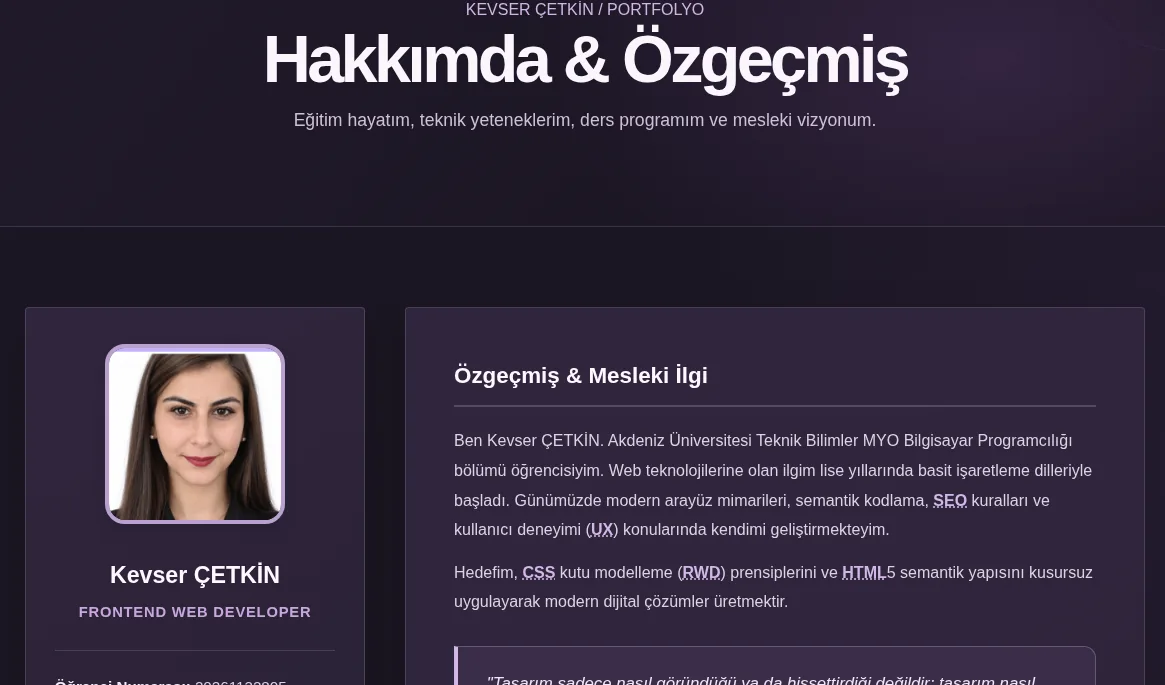
Actual website screenshot · About page
07Accessibility details
Meaningful alt text, keyboard-friendly links and associated form labels improve accessibility. Decorative images may use empty alt text. Descriptive link text is better than vague “click here” labels.
08Review checklist
Before delivery, review headings, links, image alt text and the mobile layout. HTML validators can help spot structural mistakes. Choose elements for their meaning, not just to satisfy a checklist.
09Your Turn
Create a small sample page, test it at different widths and write down what you learned.
10Thanks for reading
Continue exploring the blog.
✦
Use arrow keys or swipe to turn pages